
In this article, learn how to automatically associate all processes from a category with a user role in HEFLO. This approach greatly simplifies access rights management and reduces the administrative effort required to manually update user roles.
With this feature, whenever a process is added to or removed from a category, user access permissions are automatically updated.
Why use categories to manage access rights?
In many organizations, processes evolve constantly: new workflows are created, outdated processes are removed, and business domains are reorganized.
When access rights are managed process by process, this often leads to:
- repetitive manual updates
- a risk of forgetting access configurations
- more complex role maintenance
With process categories, you can centralize access management.
Example
You can create categories such as:
- Supply Chain
- Finance
- Human Resources
- IT
Then grant a user role access to all processes associated with that category.
As a result:
- if a new process is added to the category
- or if a process is removed from the category
access rights are automatically updated for users associated with the role.
To learn more about process categories, check out our dedicated article: Organizing business processes with categories.
Accessing role configuration
To configure this feature:
- Go to Manage Environment.
- Open the Users and Authorization section.
- Click the Roles tab.
- Create a new role or edit an existing one.
To learn more about creating custom roles, check out our article: Configure process authorization.
Associating a process category
Once you are in the role configuration:
- Click Select Processes.
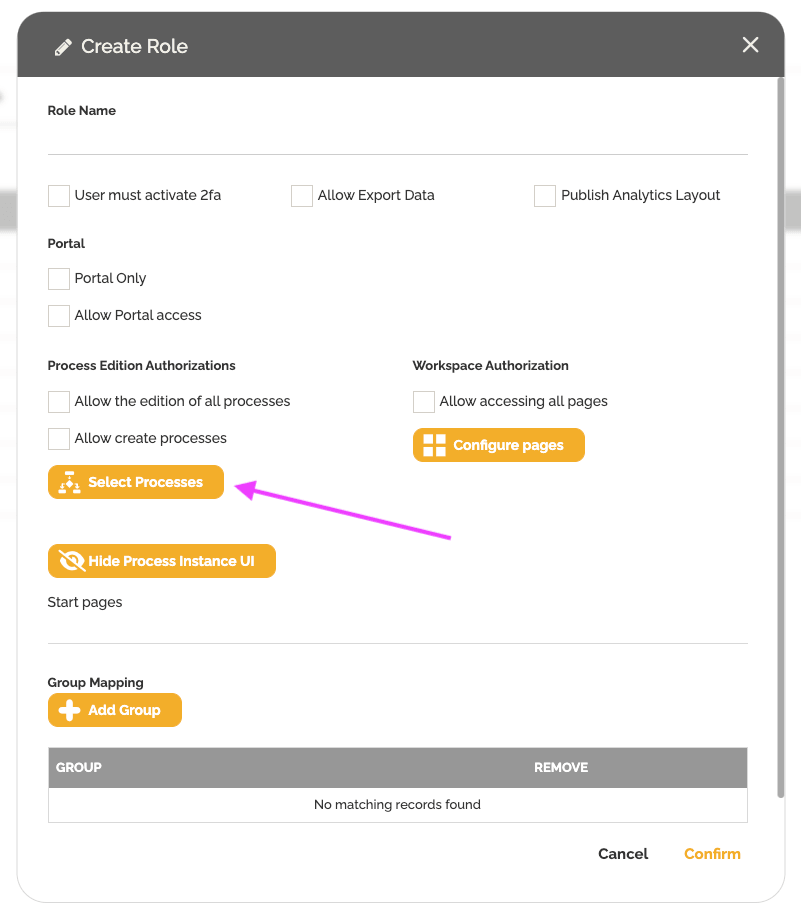
- Use the icon on the right to select a process category.
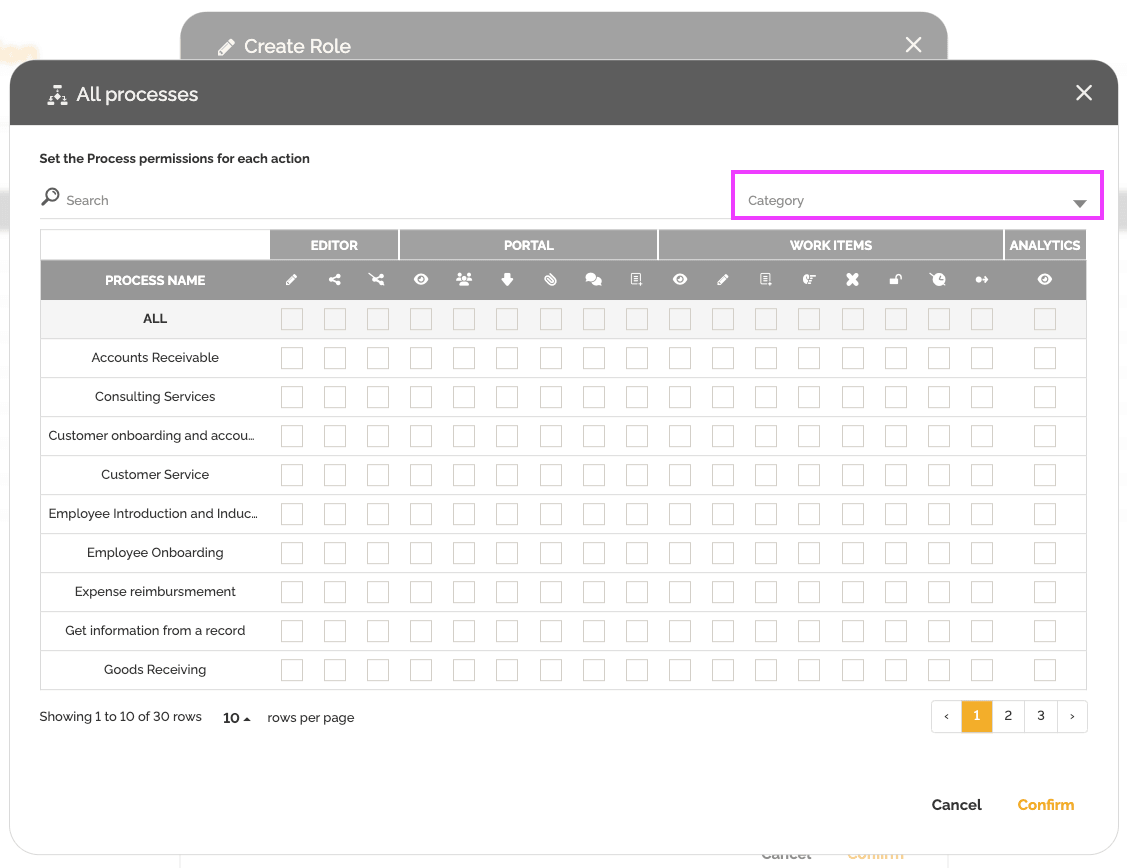
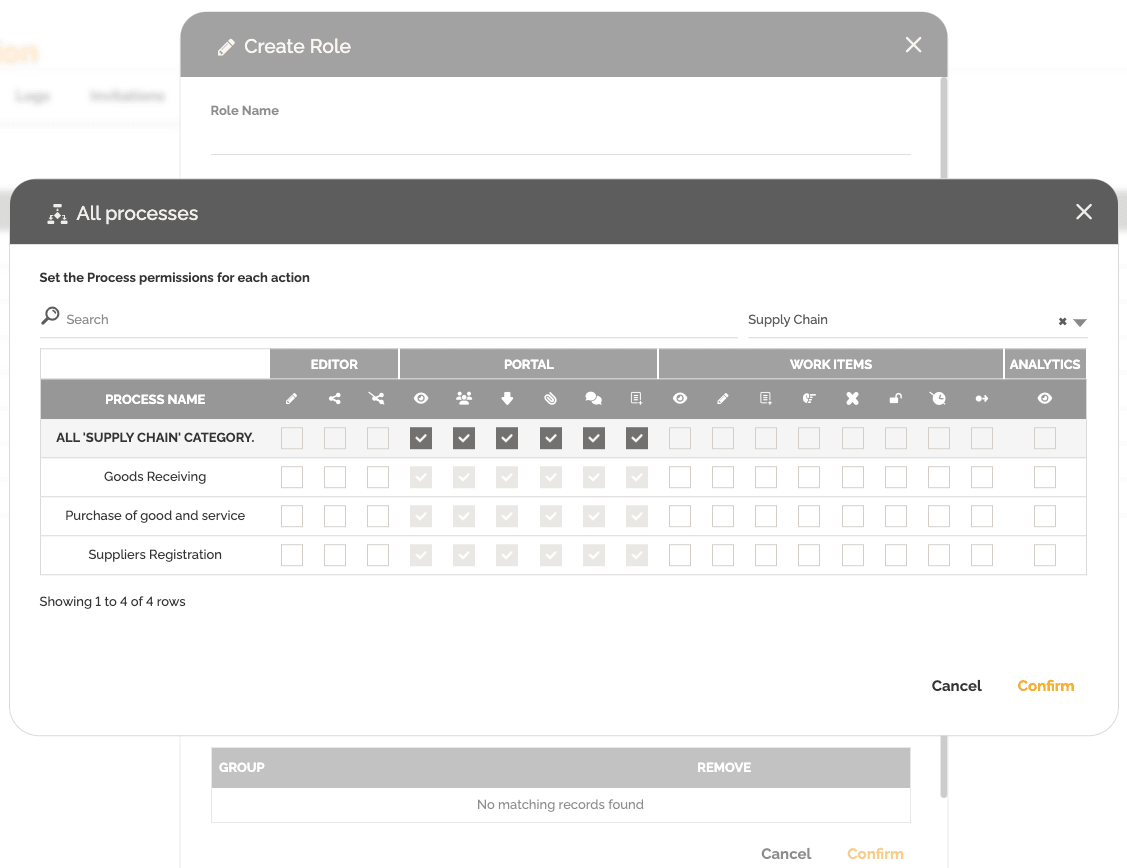
- Choose the desired category, for example Supply Chain.
- Enable the required permissions on the All row to apply access rights to every process in that category.
Automatic access updates
The main advantage of this feature is the automation of access management.
Once the category is associated with the role:
- new processes added to the category automatically inherit the permissions
- processes removed from the category are no longer accessible
- administrators no longer need to manually update each user role
This helps:
- save time
- reduce configuration errors
- simplify administration in complex environments
Associating the role with a user
After configuring the role:
- Save the changes.
- Associate the role with the desired users.
Users will automatically receive the access rights defined for the category.
To learn more about associating roles with users, check out our article: Invite users.
Conclusion
Associating process categories with user roles is an efficient way to automate access management in HEFLO.
This approach improves governance, reduces manual operations, and ensures that users always have the appropriate access rights as processes evolve.